Boomerang Task
This function allows a user to have a task reviewed by someone else, then revert back to the original user after the review. To illustrate, we have Ingrid here get a task. She needs help in reviewing…
This function allows a user to have a task reviewed by someone else, then revert back to the original user after the review.
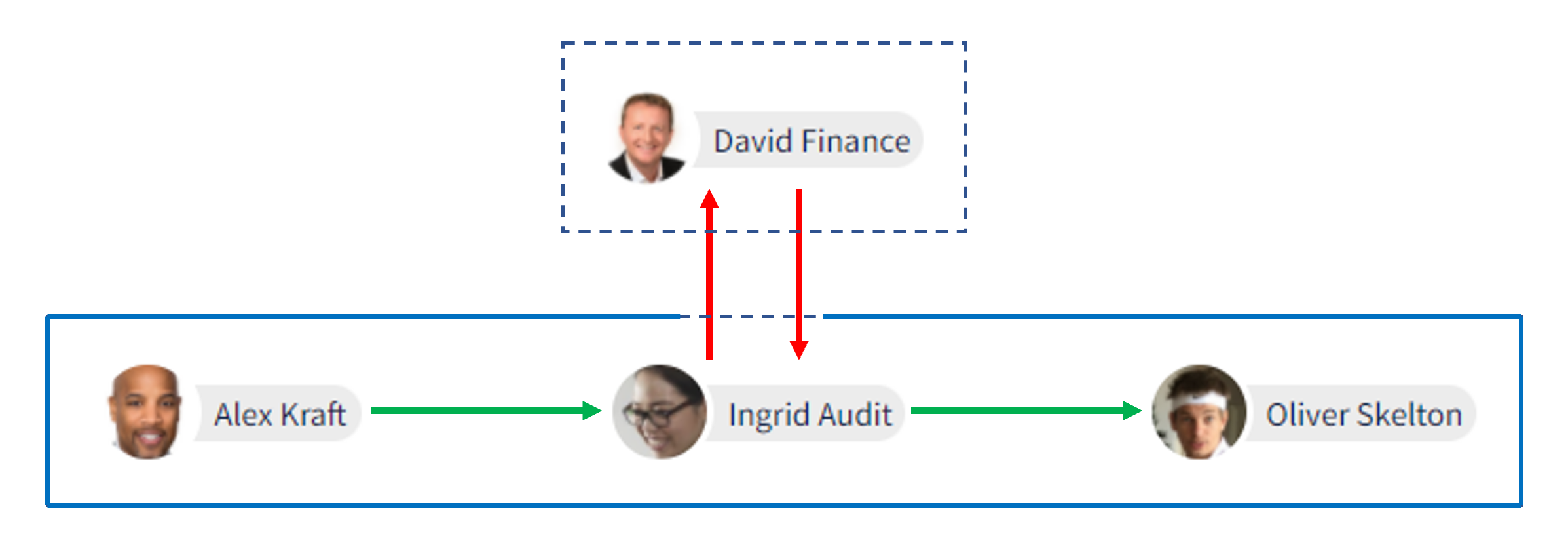
To illustrate, we have Ingrid here get a task. She needs help in reviewing it before she approves it.
By using this function, she’s able to loop-in David temporarily (who is outside the workflow) to review the task. Once reviewed, the task will then revert back to Ingrid and the workflow will return to its defined state.
Note: Ingrid is able to Boomerang the task to David since both of them have the necessary security to view the task.
Once you have a task selected, simply follow these steps:
Click on the show actions icon.
Click the three dots to show a dropdown list.
Select Boomerang Task from the list.
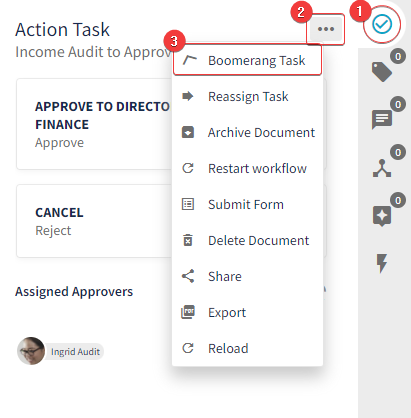
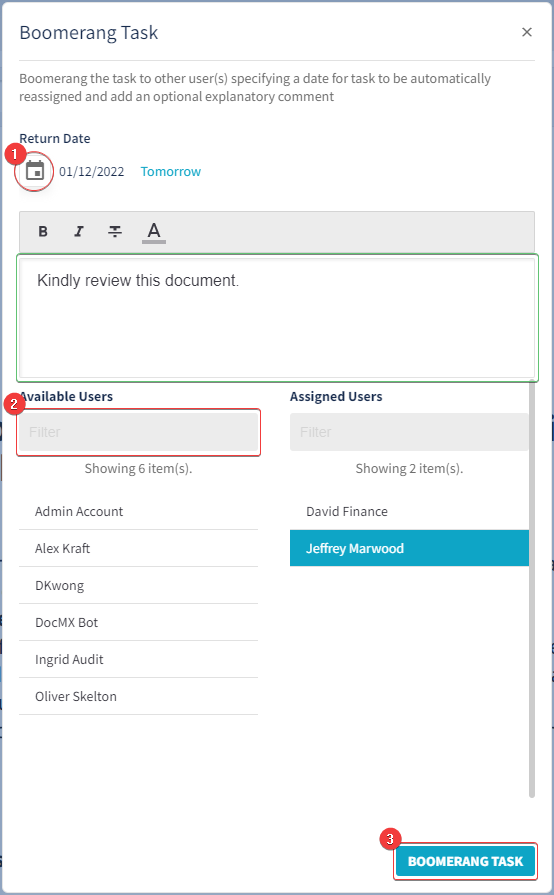
A new pop-box on the UI will appear for the Boomerang Task
Configure the Return Date.
Type-in/Select available users from the list.
Once configured, click on the Boomerang Task button.
Optional: You can add a note to the Boomerang Task.
The task should then show-up under the selected user(s) Task List.
Boomeranged tasks will revert to the previous owner if it has been Document Checked or the Return Date selected has passed.